Run client work without losing the thread.
Jorvexa keeps projects, clients, tasks, invoices, time and expenses in one local app — no subscription, no internet required, no data leaving your machine.
Try the Free Demo
Download a free Demo version that includes demo data and more. Just click the button to download the file from a Google Drive link.
Download a free Demo versionBuilt for the way independent teams actually work
Everything client work needs, nothing it doesn't.
Seven modules that cover the full lifecycle of a project — from the first task to the final invoice.
Projects
Organize work into projects with statuses, deadlines and progress at a glance.
Clients
Keep contact details, contracts and project history together for every client.
Tasks
Break projects into tasks, assign priority, and move work through your pipeline.
Invoices
Generate professional invoices from tracked time and expenses in a few clicks.
Time tracking
Start a timer per task or log hours manually — every minute lands on the right invoice.
Expenses
Record project expenses and bill them back to clients without spreadsheets.
Reporting
See profitability, hours and outstanding payments per project or per client.
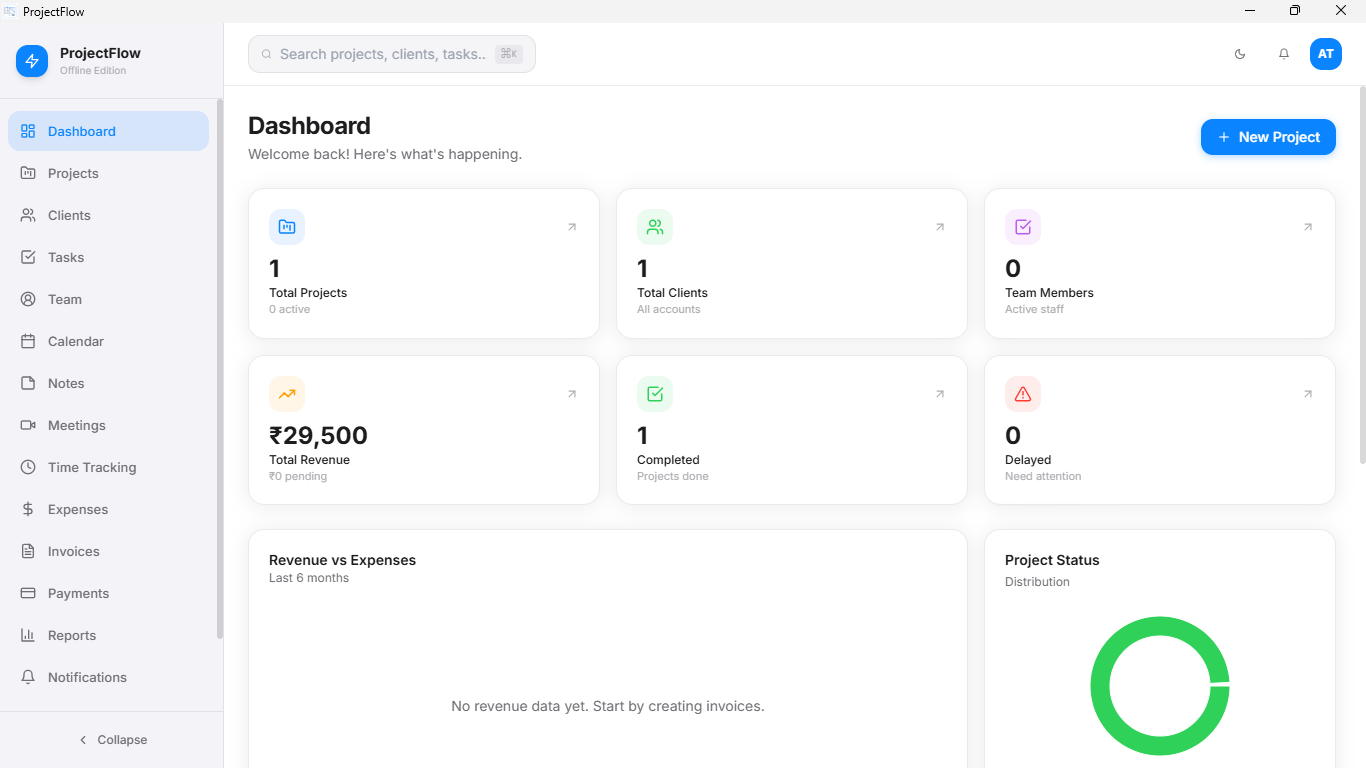
A workspace that stays out of your way.
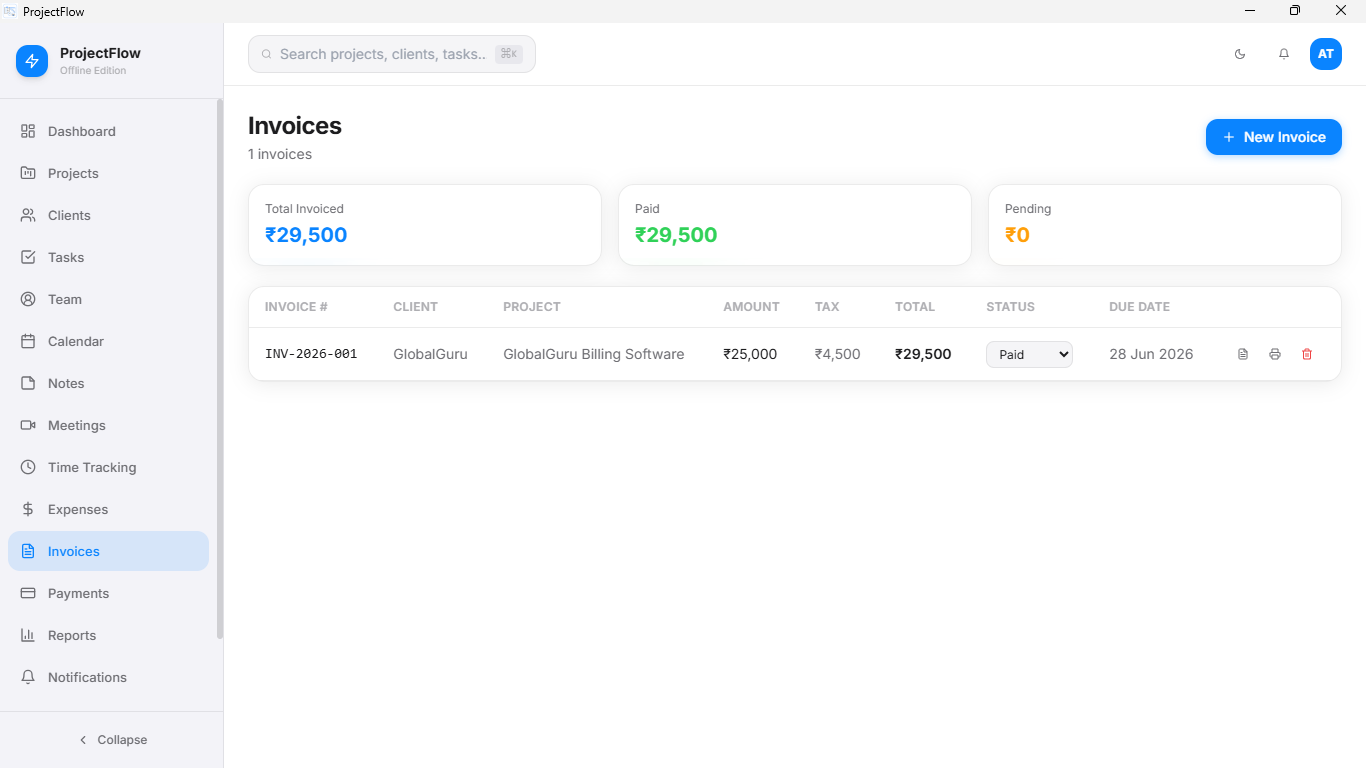 Invoicing
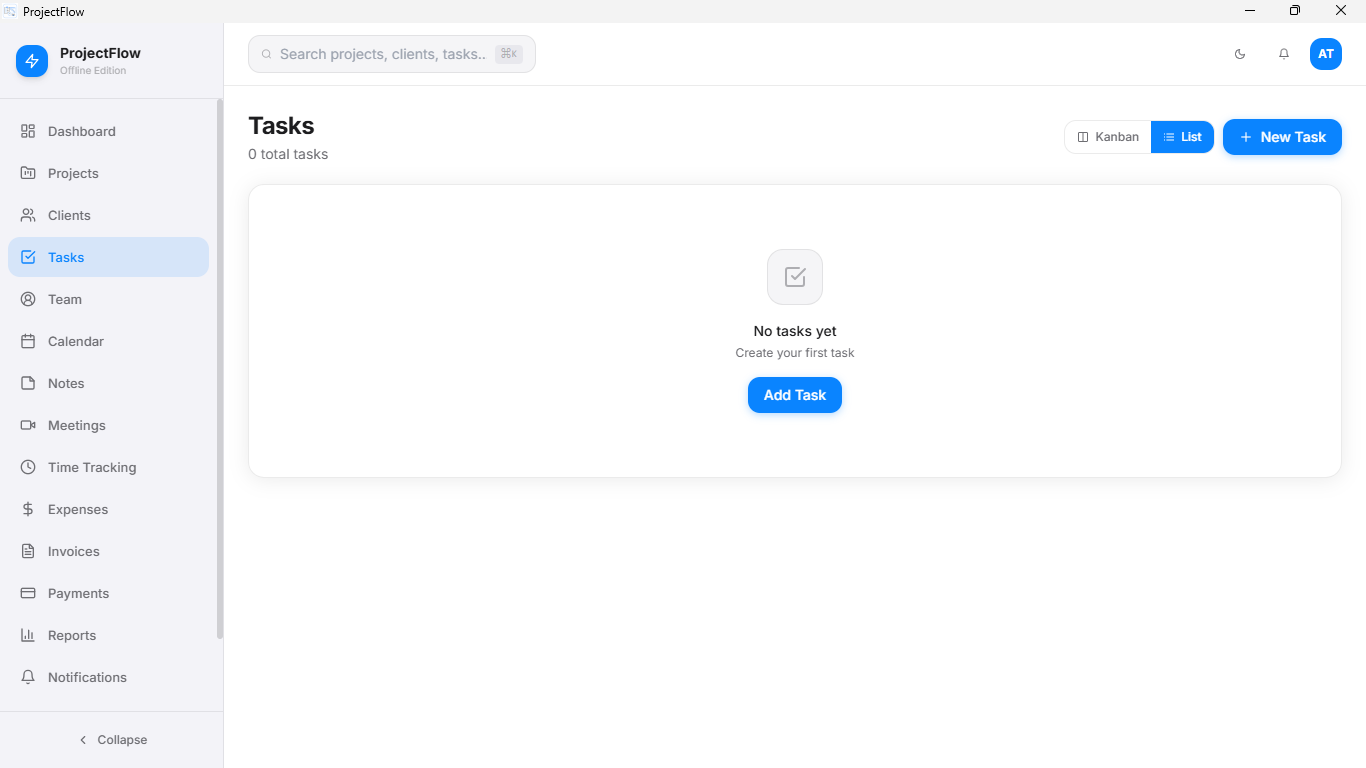 Task board
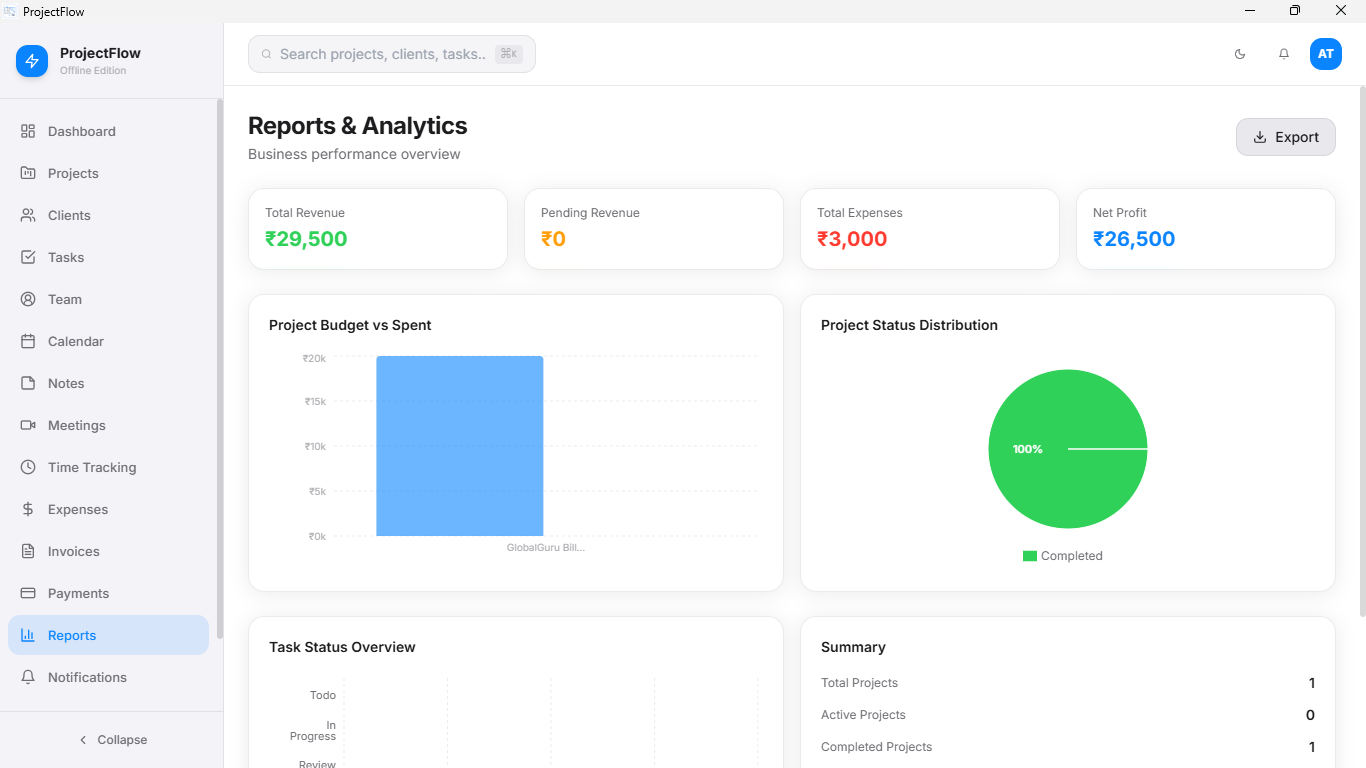 Reports
From new client to paid invoice.
A genuine sequence — each step depends on the one before it.
Add the client and project
Set scope, deadline and budget once. Jorvexa keeps it attached to every task and invoice that follows.
Break it into tasks
Plan the work, assign priority, and track progress as tasks move from open to done.
Track time and costs
Run a timer while you work, or log hours and expenses after the fact.
Bill the client
Generate the invoice straight from logged time and expenses, and mark it paid when it lands.
Built for how independent work actually runs.
Most project tools assume a fast connection and a recurring card payment. Jorvexa doesn't.
- No subscription — pay once, keep it for good
- Runs fully offline, on a local SQLite database
- Your client data never leaves your machine
- Lightweight desktop app — fast on modest hardware
Offline-first
No internet required to plan, track or invoice.
Private by design
Data is stored locally — nothing synced to a server.
Built for speed
A native desktop app, not a browser tab.
You own your data
A local database file you can back up yourself.
One-time payment. No surprises later.
Pay once, own it forever — including the updates released for your plan.
Popular
₹999
One-time payment
- Unlimited projects & clients
- Unlimited tasks & time tracking
- Invoicing & expenses
- Full reporting
- 3 months support
- Custom branding (name & logo)
- Custom feature development
Business
₹3,499
One-time · custom branded
- Unlimited projects & clients
- Unlimited tasks & time tracking
- Invoicing & expenses
- Full reporting
- Custom software name & logo
- 5 months support
- Custom feature development
Pro
Custom
Tailored to your needs
- Unlimited projects & clients
- Unlimited tasks & time tracking
- Invoicing & expenses
- Full reporting
- Custom software name & logo
- Custom features built on request
- Dedicated priority support
Common questions
No. Jorvexa runs fully offline using a local SQLite database. An internet connection is only needed once, to download and activate the app.
After that, all your data stays strictly on your local machine, ensuring complete privacy and zero latency when you work.
No. Pro and Lifetime are both one-time payments. You're billed once and you keep the app — there's no recurring charge.
All minor updates and bug fixes for your purchased version are included for free.
Jorvexa ships native builds for Windows, macOS and Linux. See the Download section for installers and system requirements.
Because it's built with cross-platform desktop technologies, it offers a seamless and responsive experience on any operating system.
Click Buy Now, fill in your details, and pay using the GPay QR code shown at checkout. After you upload your payment screenshot or UTR number, we verify the payment and email the installer to you.
Verification usually takes just a few hours during business days, and you'll receive a direct download link and your license key.
Yes. Pro covers one device and Lifetime covers up to three. Email support to deactivate an old device and activate a new one.
If you're upgrading your hardware, simply back up your local database file, transfer it to your new laptop, and you'll pick up exactly where you left off.
What early users say
Sample quotes — replace with real feedback once collected.
"I stopped juggling spreadsheets the week I switched. Invoicing alone paid for the license."
"Works on a train with no signal, which is exactly when I do most of my admin."
"One-time payment was the deciding factor. No more tools I forget I'm being billed for."
Stop renting your project management tool.
One payment. Yours for good. Works the moment you open your laptop.
Get Jorvexa for your platform
Windows
Windows 10 / 11 · 64-bit
macOS
macOS 12 Monterey or later
Linux
.AppImage · Debian / Arch tested
Release notes and full system requirements are emailed with every purchase. Current version: v2.0.